Workflow
How a change goes from idea to merged PR: superpowers, ponytail review, a proof video for frontend work, and no-mistakes.
Every change runs through the same stages. Each stage has a trigger, a command, an exit criterion, and a point where I review the result myself. The agent does the work. The checkpoints are where my judgment goes.
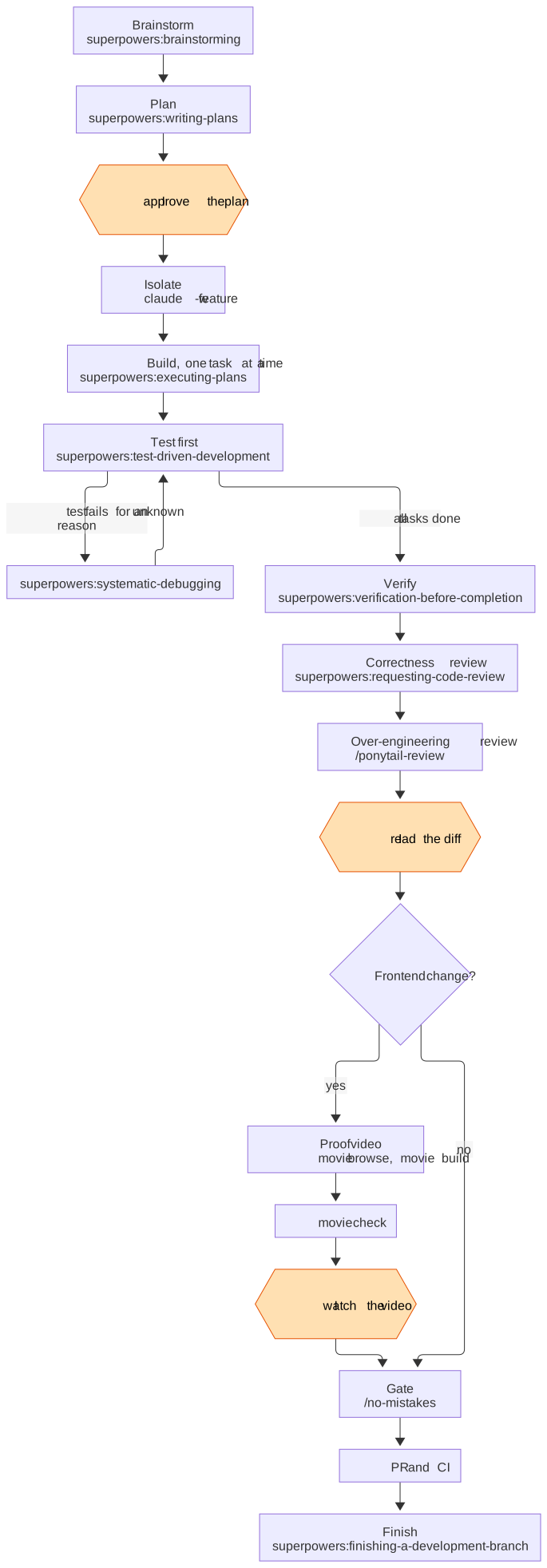
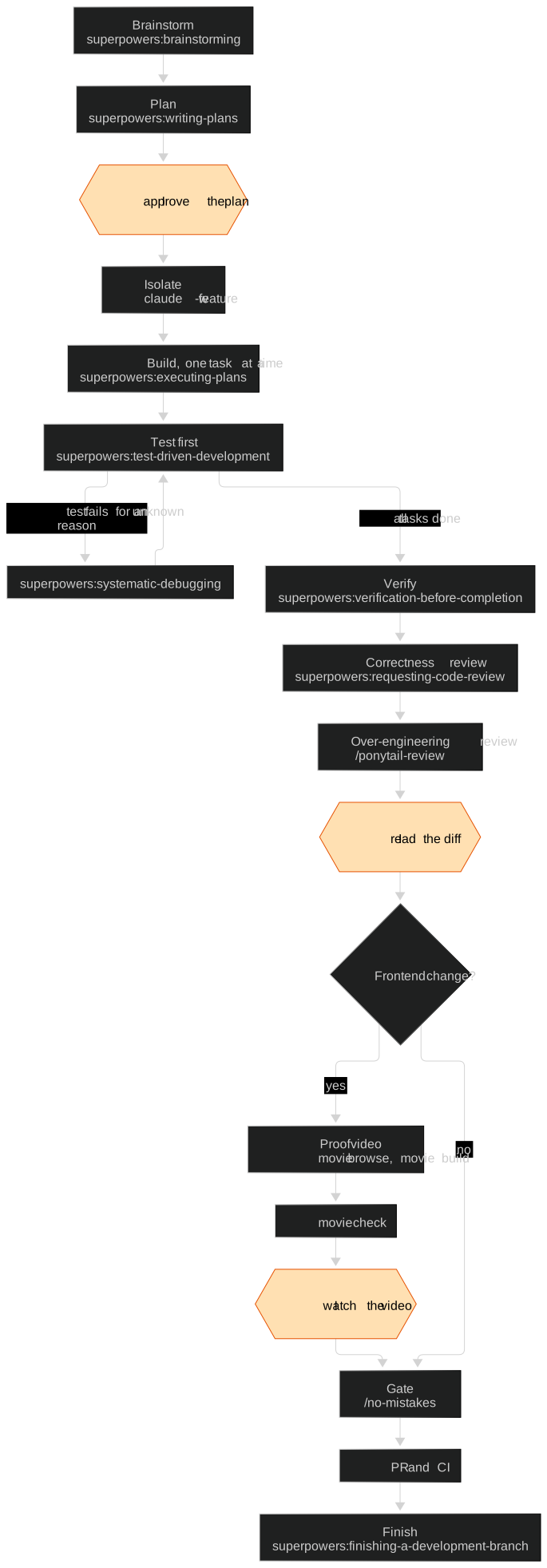
The orange hexagons are the human checkpoints. Nothing moves past one of them until I have looked at the result.
1. Brainstorm the approach
| Trigger | A new feature, or any change where the approach is not obvious |
| Command | superpowers:brainstorming |
| What it does | Asks about intent, requirements, and constraints, then proposes a design |
| Exit criterion | I approve a design. The skill then hands off to writing-plans and to nothing else |
| I review | Whether the design solves the problem I actually have |
"Brainstorm a password reset flow. Email link, 1-hour expiry, existing User model."2. Write the plan
| Trigger | An approved design |
| Command | superpowers:writing-plans |
| What it does | Turns the design into small tasks, each with files, a test, and a finish line |
| Exit criterion | A plan file I have read and approved |
| I review | Task order and scope. A wrong plan wastes every step after it |
3. Isolate the work
| Trigger | An approved plan |
| Command | claude -w <feature>, or superpowers:using-git-worktrees inside a session |
| What it does | Starts the session in its own git worktree and branch |
| Exit criterion | A clean worktree. main stays untouched for reference |
One worktree per feature lets several agents run at once without branch collisions.
4. Build one task at a time, test first
| Trigger | A task from the plan |
| Command | superpowers:executing-plans, with superpowers:test-driven-development for each task |
| What it does | Writes a failing test, watches it fail, writes the minimum code to pass, then commits |
| Exit criterion | Every task is done and its test is green |
| I review | Each commit as it lands. I steer in the session instead of restarting |
When a test fails and the cause is unclear, the agent switches to
superpowers:systematic-debugging. Its rule is "no fixes without root cause
investigation first". The fix then gets its own failing test.
Superpowers recommends subagent-driven-development, which hands each task to a fresh
subagent. I don't use it for building. My rule is that implementation stays in the main
session, where I can watch and steer it. Subagents only read: they search and review.
5. Verify before claiming done
| Trigger | The agent thinks the work is finished |
| Command | superpowers:verification-before-completion |
| What it does | Runs the build, tests, and lint again, fresh, and shows the output |
| Exit criterion | Evidence in the session, not a claim. No output means not done |
6. Review for correctness, then for bloat
Two reviews, each looking for a different kind of problem.
| Correctness review | Over-engineering review | |
|---|---|---|
| Command | superpowers:requesting-code-review | /ponytail-review |
| Looks for | Bugs, missed requirements, broken edge cases | Code that should not exist |
| Output | Findings from a reviewer subagent | One line per finding, tagged delete:, stdlib:, native:, yagni:, or shrink: |
| Ends with | A list of issues to fix | net: -N lines possible. or Lean already. Ship. |
/ponytail-review ignores correctness, security, and performance. It only lists fixes.
It does not apply them, so I decide which deletions to take. For a whole codebase
instead of a diff, /ponytail-audit does the same scan.
After both reviews, I read the full diff myself.
7. Prove it works on video (frontend only)
| Trigger | The change affects something a user sees in the browser |
| Command | The proving-it-works-with-a-movie skill, which drives the movie binary |
| What it does | Films the real app in headless Chrome with a visible cursor and narration, then checks the result |
| Exit criterion | movie check passes and I have watched the video |
| Requires | ffmpeg, and Chrome, Chromium, or Edge |
The agent drives the browser one narrated beat at a time. Each --say ends a beat and
plays over that action's result, so it goes on the wait that shows the result, not on
the click that asked for it:
movie browse start demo/ http://localhost:3000/ --title "Password reset"
movie browse click demo/ "text=Forgot password"
movie browse type demo/ "text=Email" "ana@example.com"
movie browse click demo/ "text=Send link"
movie browse wait demo/ "text=Check your inbox" --say "The user asks for a reset link, and the app sends it."
movie browse stop demo/ demo/takes/     # renders the takes, writes demo/takes/scenes.yaml
movie build demo/takes/scenes.yaml reset.mp4
movie check reset.mp4
Record against a copy of the app's data. A demo creates real records.
movie check fails a video when the picture freezes while the narration keeps going,
when the picture never changes, or when the audio is silent. It also writes a contact
sheet. I look at the sheet, then at the video, and attach both to the PR.
Skip this stage for backend-only changes. There, the test output is the proof.
8. Gate the push with no-mistakes
| Trigger | The branch is ready to leave my machine |
| Command | /no-mistakes. Run no-mistakes init once per repo first |
| What it does | Runs a pipeline: intent, rebase, review, test, document, lint, push, PR, CI |
| Exit criterion | The run ends in passed or checks-passed |
| I review | Any finding it asks me to approve, fix, or skip |
Per-repo settings go in .no-mistakes.yaml, for example the lint command and
documentation instructions. When a run fails, no-mistakes axi logs shows why.
9. Finish the branch
| Trigger | CI is green and the PR is approved |
| Command | superpowers:finishing-a-development-branch |
| What it does | Runs the tests again, offers merge, PR, or cleanup, then removes the worktree |
| Exit criterion | The branch is merged and the worktree is gone |
I merge or rebase. I never squash, because each small commit is worth keeping for
git bisect.
Comments are agent context
Comments are a great way to give an agent context about the code. An agent reads every comment in a file before it edits that file, and it believes what it reads. A good comment saves the agent from rediscovering a constraint. A wrong comment is worse than no comment, because the agent acts on it with confidence.
So every comment has to be exactly right. These are the rules I follow:
- A comment says why, never what. Write down the constraint, the non-obvious reason, or the trap. The code already says what it does.
- Verify every claim before it lands. If a comment says "
Xonly works withYon", check it: read the source, or run it. - A human reviews every comment. This applies to comments an agent writes too. Review comments with the same care as the code next to them.
- Delete stale comments in the same change. A comment that no longer matches the
code misleads every agent that reads it. The
comment-sickoagent finds comments that say nothing and deletes them.
A worked example from this site
I added comments to this site's own code, and checked each claim before committing it.
One check caught me. The charts on this site are rendered to SVG ahead of time by
scripts/render-charts.ts,
and my first comment on one of its settings said:
// htmlLabels off: foreignObject labels don't render reliably when the SVG is an <img>It sounded right. Then I tested it: I rendered a chart with HTML labels, put it in an
<img>, and took a screenshot. Chrome drew the labels fine. The claim was false, and any
agent reading it would have repeated it as fact. The comment now says only what is true:
// Labels are measured here and drawn in the reader's browser, so the font must exist
// on both. htmlLabels off makes labels SVG <text>, with no HTML inside the <img>.
The next check caught a second mistake. That comment was still false: Mermaid 12
ignores flowchart.htmlLabels, so every label was still HTML. One chart broke in the
browser because its SVG was not valid XML. The setting moved to the top-level
htmlLabels, and the renderer now fails when a chart is not well-formed XML. The comment
became true only after the code changed to match it.
The other commented files follow the same rule: one sentence that explains why.
proxy.ts: why the same URL returns HTML to a browser and markdown to an agent.lib/source.ts: which setting the llms.txt output depends on.- The llms.mdx and OG image routes: which URL segment
slice(0, -1)removes.
I also deleted two comments that said nothing: a docs link and // JSX supported.