MCP (Model Context Protocol)
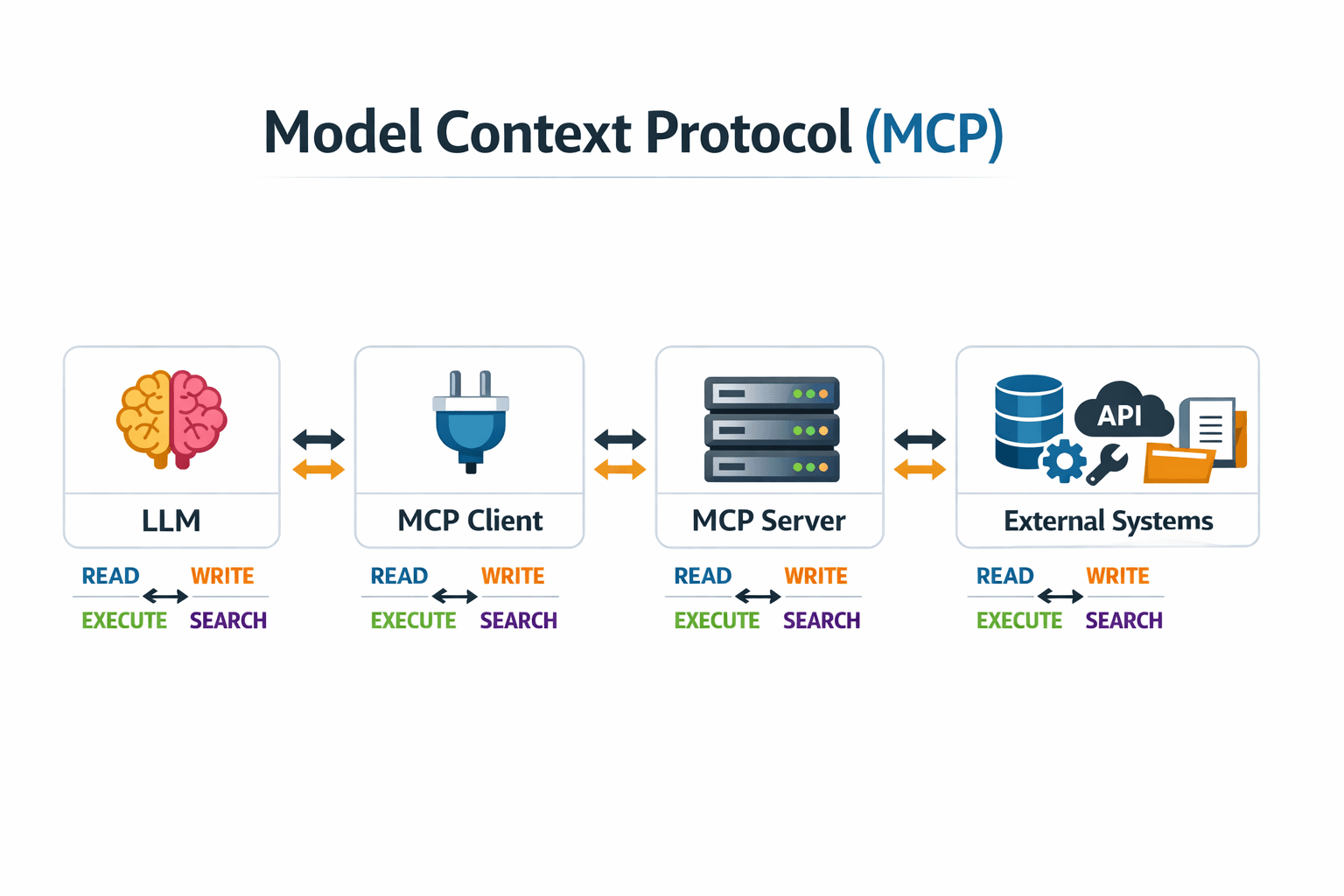
MCP is a standard way to connect agents to external systems: databases, APIs, docs, tools. That makes it the most important trust boundary in your agent setup. Every MCP server can read, and often write, data on the agent's behalf.
Why needed
On their own, models only know their training data and their context window:
- Stale knowledge: training has a cutoff
- No private data: they can't see your systems
- No actions: they can't create tickets or query databases
- Limited context: they can't hold everything at once
MCP solves this
- Read from files, databases, APIs, docs
- Write to external systems
- Execute tests and deployments
- Search large datasets without loading them
Architecture
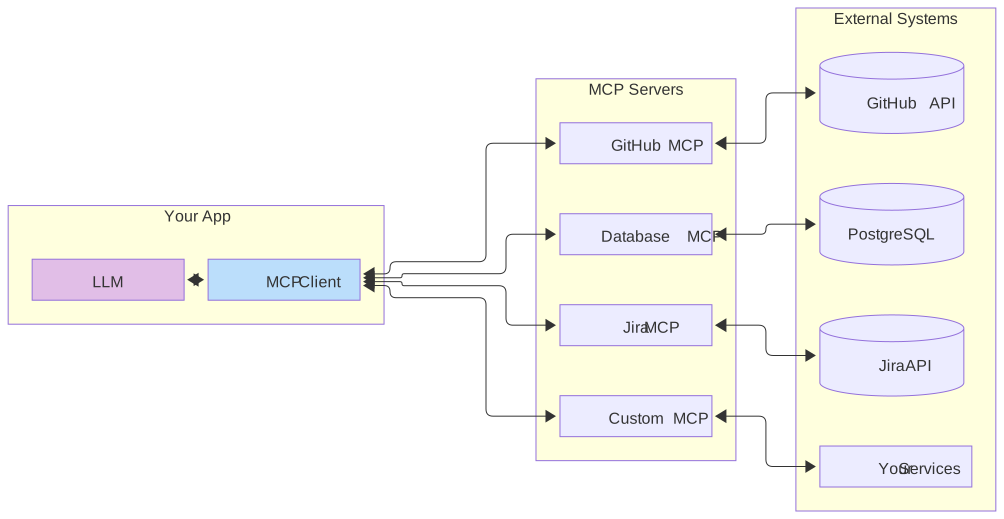
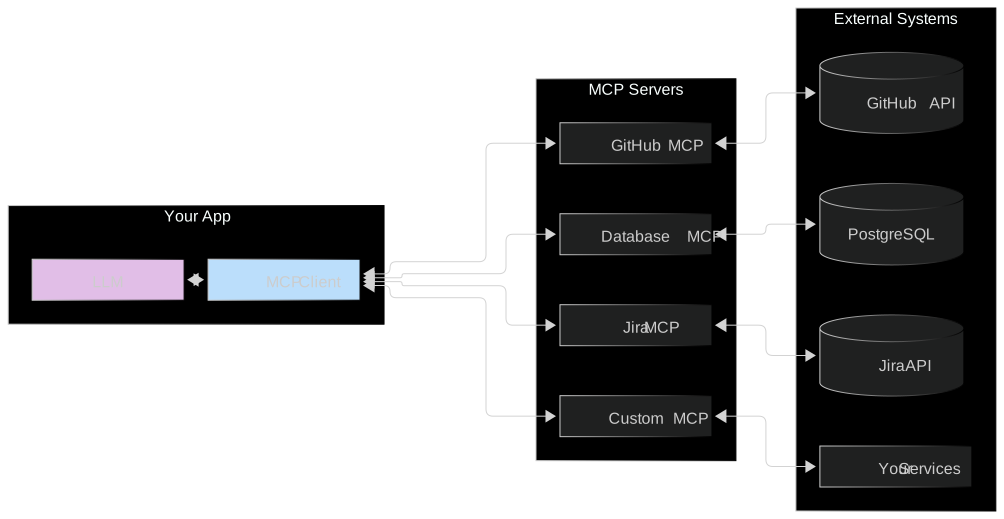
LLM ←→ MCP Client ←→ MCP Server ←→ External SystemInstallation
# Just you, this project (default)
claude mcp add <name> <command>

# Shared with the team: writes .mcp.json, which you check in
claude mcp add --scope project <name> <command>

# Just you, every project
claude mcp add --scope user <name> <command>

# Remote servers over HTTP
claude mcp add --transport http <name> <url>
Share team servers through .mcp.json so every engineer's agent sees the same tools with the same configuration.
Essential MCPs
- GitHub: PRs, issues, Actions
- Issue tracker (Jira, Linear): tickets and planning
- Docs (Confluence, Notion): internal knowledge
Recommended MCPs
# Context7: current docs for libraries, so agents stop using outdated APIs
claude mcp add --transport http context7 https://mcp.context7.com/mcp --header "CONTEXT7_API_KEY: YOUR_KEY"

# Figma Dev Mode: design to code
claude mcp add --transport http figma-desktop http://127.0.0.1:3845/mcp

# Shopify dev docs
claude mcp add shopify-dev-mcp npx @shopify/dev-mcp@latest
Also: Sosumi for Apple platform docs, https://sosumi.ai/
Before adding a server, ask:
- What can it read? What can it write?
- Whose credentials does it use, and are they scoped?
- Could a CLI plus a short skill do the same job? A CLI is often simpler, cheaper in context, and easier to audit
MCP troubleshooting
| Problem | Fix |
|---|---|
| Server missing | claude mcp list to check it's configured in this scope |
| Connection fails | Run the server command by hand and read its error |
| Permission denied | Check the API key or token the server uses |
| Too many tools | Remove servers you don't use. Each one costs context |
claude mcp list              # configured servers
claude mcp get <name>        # one server's config
claude mcp remove <name>     # remove it
Inside a session, /mcp shows connection status and handles authentication for remote servers.
Writing custom MCPs
When an internal system has no server, write a small one with the official SDK:
// mcp-server/index.ts
import { McpServer } from "@modelcontextprotocol/sdk/server/mcp.js";
import { StdioServerTransport } from "@modelcontextprotocol/sdk/server/stdio.js";
import { z } from "zod";

const server = new McpServer({ name: "orders", version: "1.0.0" });

// Read-only by design: one narrow tool, not a generic HTTP proxy
server.registerTool(
  "get_order",
  {
    description: "Fetch an order by ID from the internal orders API",
    inputSchema: { orderId: z.string() },
  },
  async ({ orderId }) => {
    const res = await fetch(`https://orders.internal/api/orders/${orderId}`);
    return { content: [{ type: "text", text: await res.text() }] };
  },
);

await server.connect(new StdioServerTransport());
claude mcp add --scope project orders node ./mcp-server/index.jsDesign narrow tools. A query_internal_api(endpoint, method) tool is a generic proxy into your network. A get_order(orderId) tool does one thing you can reason about.